

Families searching for “Arizona Virtual Academy free laptop and materials” usually want to know what a student receives after enrollment, whether there are fees, and what the family must supply at home. The practical answer is that Arizona Virtual Academy (AZVA) is a tuition-free, public online school, but a laptop, internet service, and course materials should not be assumed to be automatically free or included for every student. Equipment and material arrangements can depend on the student’s grade, program, eligibility, current school policy, and available inventory. Before enrolling or buying anything, ask AZVA to confirm what applies to your child in writing.
What Arizona Virtual Academy provides
AZVA serves Arizona students through online instruction and a structured curriculum. As a public school, it does not charge tuition for eligible students to enroll. Students typically work through online lessons, assignments, and assessments, with support from teachers and school staff. The learning experience may also involve printed items, books, or other supplies, depending on the grade and course.
Tuition-free does not mean that every cost of learning at home is covered. Families may still need to provide a suitable study space, basic household supplies, and reliable internet access. Whether AZVA lends a computer or supplies specific course materials is a separate question from whether instruction is tuition-free.
Because school procedures and vendor arrangements can change, confirm the current details directly with the school. Ask about the specific student, grade level, and enrollment year rather than relying on an older review or a general statement from another family.
Is a free laptop included with AZVA enrollment?
There is no safe universal answer that a free laptop is guaranteed to every Arizona Virtual Academy student. A school may offer a loaner device to eligible students, but loaner availability, device type, eligibility rules, and return requirements can vary. In other cases, the family may be expected to use a computer that meets the school’s technical requirements.
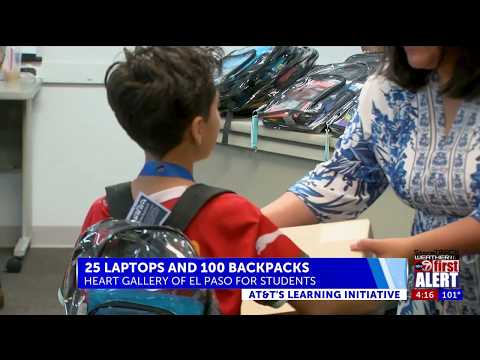
It is also important to distinguish a loan from a gift. A school-provided laptop may remain school property and need to be returned when a student withdraws, graduates, or no longer qualifies to use it. Families may be responsible for reasonable care, reporting damage, or following device-use rules. Ask what happens if a device is lost, damaged, or no longer works.
Questions to ask before enrollment
- Does AZVA currently provide a laptop or Chromebook for this student’s grade and program?
- Is the device a loaner, and when must it be returned?
- Does the student need to meet eligibility criteria or submit a separate request?
- Are there limited quantities, waitlists, or delivery timelines?
- Does the school provide technical support, repairs, or replacement devices?
- What computer specifications and internet connection are required if we use our own equipment?

Get answers from the enrollment or family-support team, and save the relevant message or policy. That gives you a reliable record if equipment arrangements are later unclear.
What “free materials” may mean
When families ask about free AZVA materials, they may mean online curriculum, printed workbooks, textbooks, art supplies, science materials, or the equipment needed to access lessons. These are not always treated as one package. Some curriculum may be delivered digitally, while certain courses or grade levels may use physical materials. The school can explain which items are supplied and which families need to obtain.
Ask for a current materials list before purchasing books or supplies. Buying a generic workbook or a used textbook may not match the student’s assigned course or edition. Likewise, an item that seems optional may be required for a particular activity, while a suggested supply may have a low-cost household substitute.

Separate school-provided items from family expenses
| Item | What to confirm |
| Online curriculum | Which courses and digital resources are included with enrollment? |
| Computer | Is a device issued, loaned, or expected from the family? |
| Printed books or workbooks | Are they shipped, downloaded, or purchased separately? |
| Internet access | Does the family arrange service, and are assistance options available? |
| Course supplies | Which items are required, optional, or replaceable with household materials? |
Ask whether supplies are shipped automatically or require an order. Confirm the shipping address, delivery window, and process for reporting a missing package. If an item is delayed, ask whether the student can begin the related lesson using a digital alternative.
Internet, software, and a suitable learning space
A laptop alone is not enough for a smooth online-school experience. Students need an internet connection that can handle the school’s learning platform, video lessons, and communication tools. The exact connection requirements may vary, so check the current technical guidance rather than assuming a particular speed is sufficient.
Families should also clarify whether the student needs a webcam, headset, printer, specific browser, or additional software. These requirements can differ by class and grade. A printer is not necessarily essential for every student, but access to printing may be useful if lessons or forms are provided on paper.
Set up a dependable learning area with good lighting, a comfortable chair, and a place to keep books and supplies. For younger children, an adult may need to help with logging in, organizing the day, and communicating with teachers. Older students often benefit from a calendar, a charging routine, and a quiet place to attend live sessions or complete assessments.
How to verify laptop and materials eligibility
- Identify the program and grade. Device and supply arrangements may differ across grade levels, courses, or specialized programs.
- Contact AZVA through its official enrollment or family-support channels. Ask about the current school year and the student’s specific circumstances.
- Request the written policy. Look for eligibility, loan duration, care responsibilities, return instructions, and any costs for unreturned equipment.
- Confirm the materials list. Ask which items are included, which are shipped, and which the family must provide.
- Wait before making major purchases. Use the school’s hardware specifications and assigned course list to avoid buying incompatible or unnecessary items.
If a family has financial constraints, say so directly when speaking with the school. Ask whether there are loaner devices, connectivity support, community resources, or other assistance options. Availability is not guaranteed, but asking early gives the school more time to explain what help may be possible.
Planning costs realistically
Even when tuition and some learning resources are covered, families may have indirect costs. These can include home internet, electricity, headphones, replacement supplies, and occasional printing. A school-provided device, if available, can reduce the cost of buying a computer, but families should not build a budget around receiving one until eligibility is confirmed.
Use a simple planning checklist:
- Confirm whether the student can use an existing laptop or needs a school-issued device.
- Check whether the household internet is stable enough for lessons and video meetings.
- List required materials separately from optional or recommended supplies.
- Ask about free community internet access or public resources if home service is unavailable.
- Keep receipts and school communications for any required purchases or approved reimbursements.
Public libraries and community organizations may offer internet access or computer use, but these options may not suit a student who needs to attend lessons at set times or complete work privately. Ask the school about attendance expectations and acceptable alternatives before relying on an off-site connection.
Making a school-issued laptop last
If AZVA issues a device, treat it as an essential learning tool. Use a protective case, keep liquids away, charge it in a consistent location, and avoid installing unapproved software. Students should follow the school’s rules for passwords, online safety, and acceptable use. Report technical problems promptly; continuing to work around a failing device can lead to missed assignments or preventable damage.
Families should also understand how the school handles device repairs and replacement. Ask whether to contact the school’s technology support team before visiting a repair shop. A third-party repair may affect coverage or violate device procedures. Keep the device and accessories together, and note any return deadline if the student leaves the program.
Frequently asked questions
Does Arizona Virtual Academy give every student a free laptop?
Do not assume that every student receives a free laptop. AZVA may have device arrangements for eligible students, but availability and rules can change. Contact the school to confirm whether your student qualifies and whether the device is a loaner.
Are AZVA laptops free to keep after the school year?
A school-issued computer may remain school property rather than becoming a family-owned device. Confirm the return date and requirements, including what happens if a student withdraws or changes schools.
Does Arizona Virtual Academy provide free books and school supplies?
Some course resources may be included or provided digitally, while other materials can vary by grade and class. Request the current materials list before purchasing books, workbooks, or supplies.
Do AZVA families have to pay for internet?
Families should confirm the current policy with AZVA and plan for internet access unless the school explicitly confirms another arrangement. Ask whether the school knows of connectivity assistance or local resources if service is a barrier.
Can my child use our own computer for Arizona Virtual Academy?
Possibly, if the computer meets the current technical requirements and supports the school’s learning platform. Ask for the required specifications, operating system guidance, and any software or browser needs before relying on a personal device.
How can I find out what AZVA supplies before enrolling?
Contact the official enrollment team and request written information for your student’s grade, program, and enrollment year. Specifically ask about a laptop, internet, printed materials, course supplies, delivery, and return rules.
Conclusion
Arizona Virtual Academy can offer a tuition-free online public-school option, but “free laptop and materials” should not be interpreted as a guarantee that every household receives every device and supply at no cost. The most reliable approach is to confirm current laptop eligibility, loan terms, internet expectations, and course-specific materials directly with AZVA before enrolling or spending money. With those details in hand, families can prepare a functional learning space, avoid unnecessary purchases, and help students start online school with the right tools.